


I've been testing Halo: Campaign Evolved on various hardware setups, including a powerful rig with an RTX 5080 and Ryzen 7 7700X3D. Surprisingly, the visual differences between Low and Ultra settings are minimal, making the performance trade-off not worth it.
During my tests, switching from Low to Ultra resulted in a significant performance drop of around 20%. While this isn't a major issue at nearly 200 fps, on my RTX 4070 Super setup, it impacts the ability to maintain a steady 60 fps at 1440p without upscaling.
Visual Comparisons
In the first mission, the difference between Low and Ultra is subtle. Aside from the UI element in the top left, you might not notice much change.


I did observe a more noticeable difference during the spaceship sequence in the third set of missions. While blood textures appeared similar, the lighting on the gun and shadow softness were slightly improved on Ultra.


Foliage detail is another area where Low settings fall short, with some detail missing and lighting appearing less impressive. However, this doesn't significantly detract from the overall gameplay experience.


For those using DLSS or FSR at Low settings, the Ultra preset might be beneficial, as the fps impact is minimal when DLSS is set to Low. However, with DLSS at Ultra, I experienced a 22% drop in performance, making Low a better choice in that scenario.
Performance Metrics
Here are the average and 1% low fps results from my testing across different rigs:

The choice of graphics settings and upscaling will depend on your hardware capabilities. Personally, I would prefer Native or Ultra upscaling with Low graphics over Medium upscaling with Medium graphics.
Gaming handhelds have access to a 'Very Low' graphical setting, which performs well with some upscaling. My experience testing the game on the Asus ROG Xbox Ally X at 1080p showed that the Very Low setting with FSR Medium upscaling is a solid choice.
Asus ROG Xbox Ally X Performance
Here are the performance results for the Asus ROG Xbox Ally X:
In conclusion, unless you're achieving high performance and can afford a drop of 30 fps, I recommend using Low settings for your playthrough of Halo: Campaign Evolved. And don't forget to disable motion blur in the settings, as it can be quite distracting.
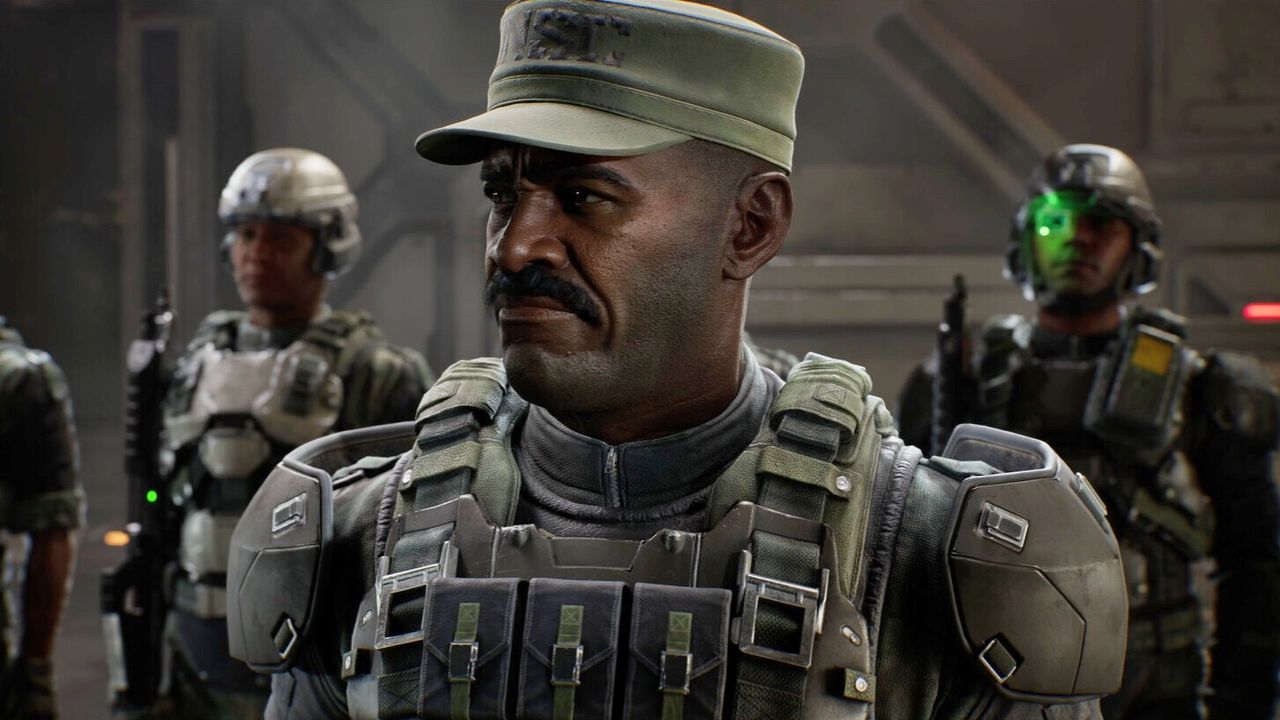
During my tests, switching from Low to Ultra resulted in a significant performance drop of around 20%. While this isn't a major issue at nearly 200 fps, on my RTX 4070 Super setup, it impacts the ability to maintain a steady 60 fps at 1440p without upscaling.
Visual Comparisons
In the first mission, the difference between Low and Ultra is subtle. Aside from the UI element in the top left, you might not notice much change.
I did observe a more noticeable difference during the spaceship sequence in the third set of missions. While blood textures appeared similar, the lighting on the gun and shadow softness were slightly improved on Ultra.
Foliage detail is another area where Low settings fall short, with some detail missing and lighting appearing less impressive. However, this doesn't significantly detract from the overall gameplay experience.
For those using DLSS or FSR at Low settings, the Ultra preset might be beneficial, as the fps impact is minimal when DLSS is set to Low. However, with DLSS at Ultra, I experienced a 22% drop in performance, making Low a better choice in that scenario.
Performance Metrics
Here are the average and 1% low fps results from my testing across different rigs:
- Rig 1 (Ryzen 5 5600X, RTX 3070, 32 GB): 51 Avg FPS, 45 1% Low FPS
- Rig 2 (Ryzen 7 7800X3D, RTX 4070 Super, 32 GB): 74 Avg FPS, 55 1% Low FPS
- Rig 3 (AMD Ryzen 7 7700X3D, RTX 5080, 32 GB): 118 Avg FPS, 100 1% Low FPS
- Rig 4 (AMD Ryzen 7 7700X3D, AMD RX 9070, 32 GB): 101 Avg FPS, 90 1% Low FPS
The choice of graphics settings and upscaling will depend on your hardware capabilities. Personally, I would prefer Native or Ultra upscaling with Low graphics over Medium upscaling with Medium graphics.
Gaming handhelds have access to a 'Very Low' graphical setting, which performs well with some upscaling. My experience testing the game on the Asus ROG Xbox Ally X at 1080p showed that the Very Low setting with FSR Medium upscaling is a solid choice.
Asus ROG Xbox Ally X Performance
Here are the performance results for the Asus ROG Xbox Ally X:
- FSR Low: 49 Avg FPS, 39 1% Low FPS
- FSR Medium: 43 Avg FPS, 34 1% Low FPS
- FSR Ultra: 33 Avg FPS, 27 1% Low FPS
- FSR Native: 22 Avg FPS, 19 1% Low FPS
- TSR Low: 33 Avg FPS, 30 1% Low FPS
- TSR Medium: 32 Avg FPS, 28 1% Low FPS
- TSR Ultra: 31 Avg FPS, 26 1% Low FPS
- TSR Native: 20 Avg FPS, 14 1% Low FPS
In conclusion, unless you're achieving high performance and can afford a drop of 30 fps, I recommend using Low settings for your playthrough of Halo: Campaign Evolved. And don't forget to disable motion blur in the settings, as it can be quite distracting.